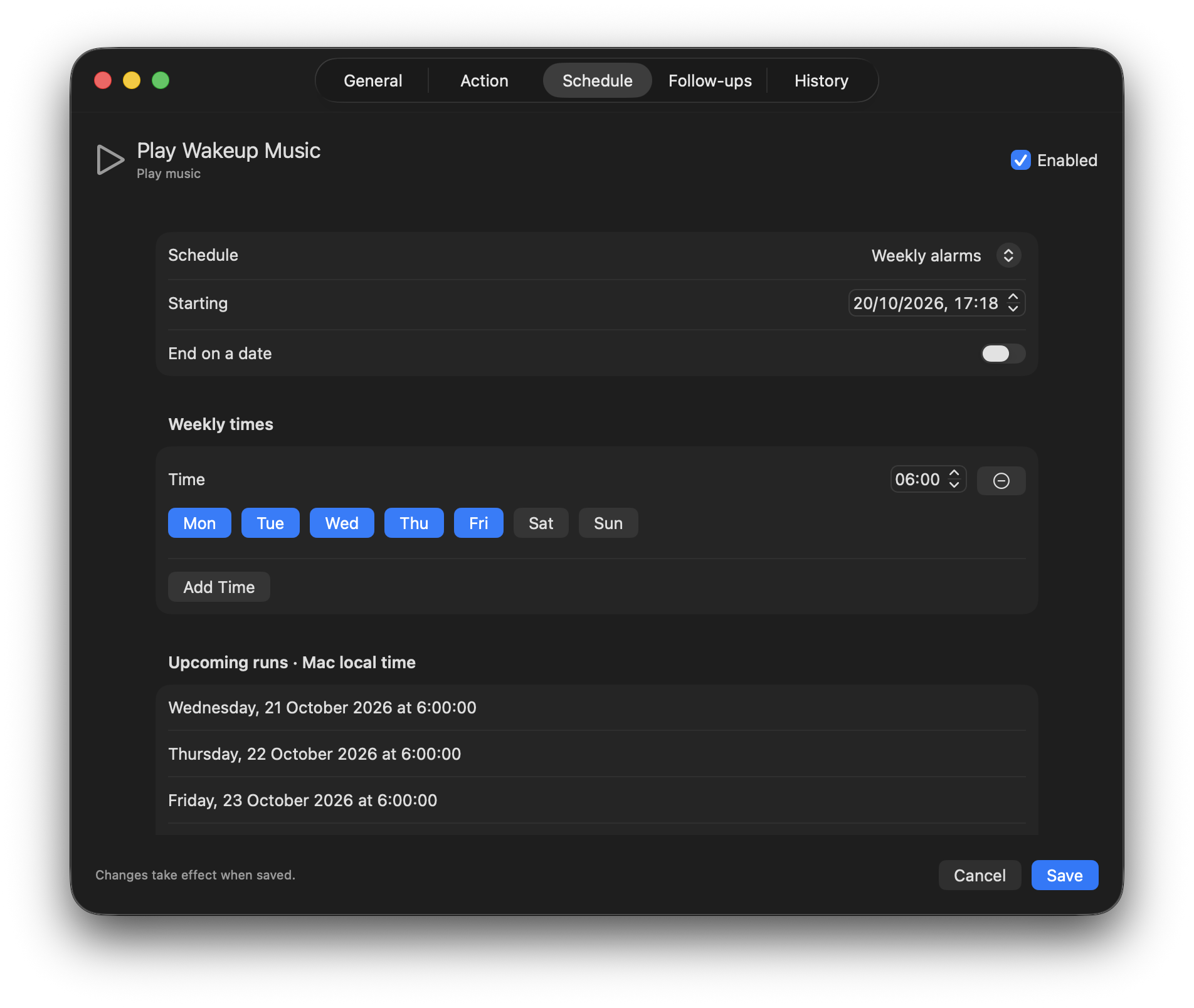
Once, often, or on weekdays.
Pick an exact date and time, repeat every N minutes, hours or days, or add several alarm-style times with their own weekday selections. Preview the next five runs before saving.
 Do This Then
YOUR MAC. A LITTLE MORE AUTOMATIC.
Run something at the right time. Follow it with something else. Do This Then puts schedules, conditions and a clear run history in one native Mac menu bar app.
Public alpha · macOS 14+ · Intel & Apple Silicon
A LITTLE TIMING. A LOT DONE.SET IT UP. LET IT HAPPEN.
Pick an exact date and time, repeat every N minutes, hours or days, or add several alarm-style times with their own weekday selections. Preview the next five runs before saving.
Run another task on success, on error, or when an exit code matches. Add conditions on stdout or stderr, then choose a delay in seconds, minutes or hours.
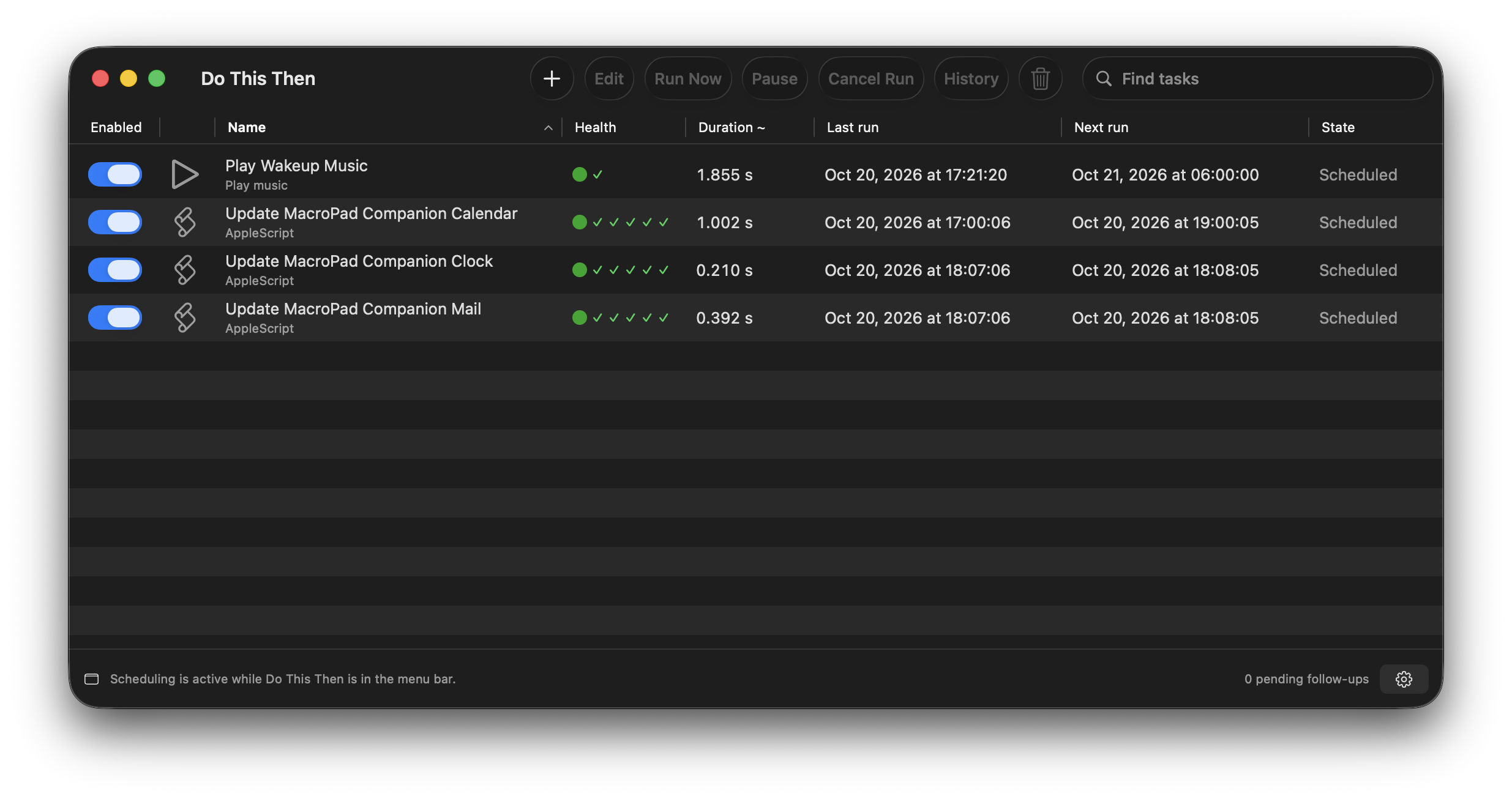
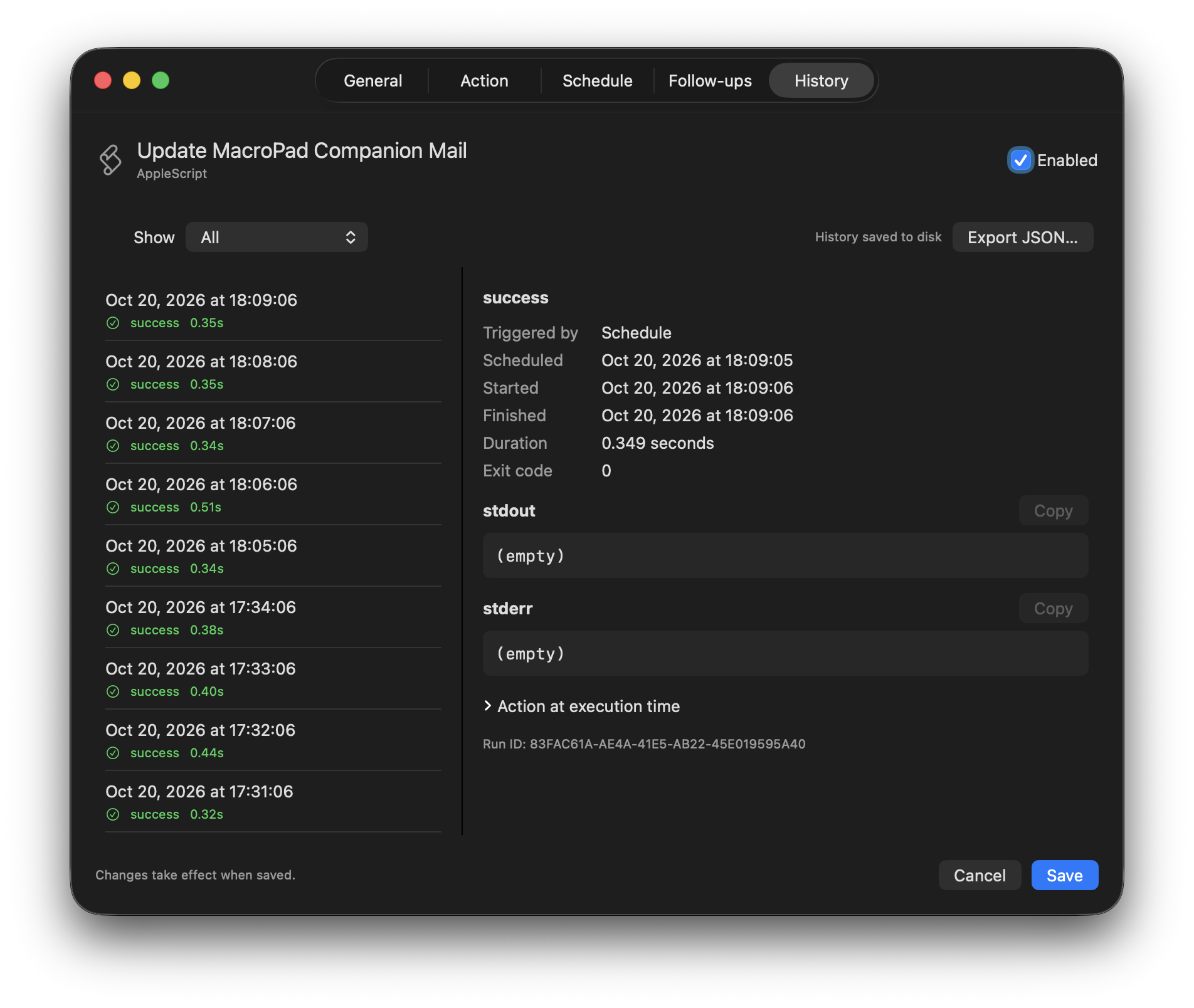
Inspect output, exit codes and timings. The task table shows last and next runs, health across five recent executions, and average duration. Enable or pause tasks with a switch.
A LOOK INSIDE
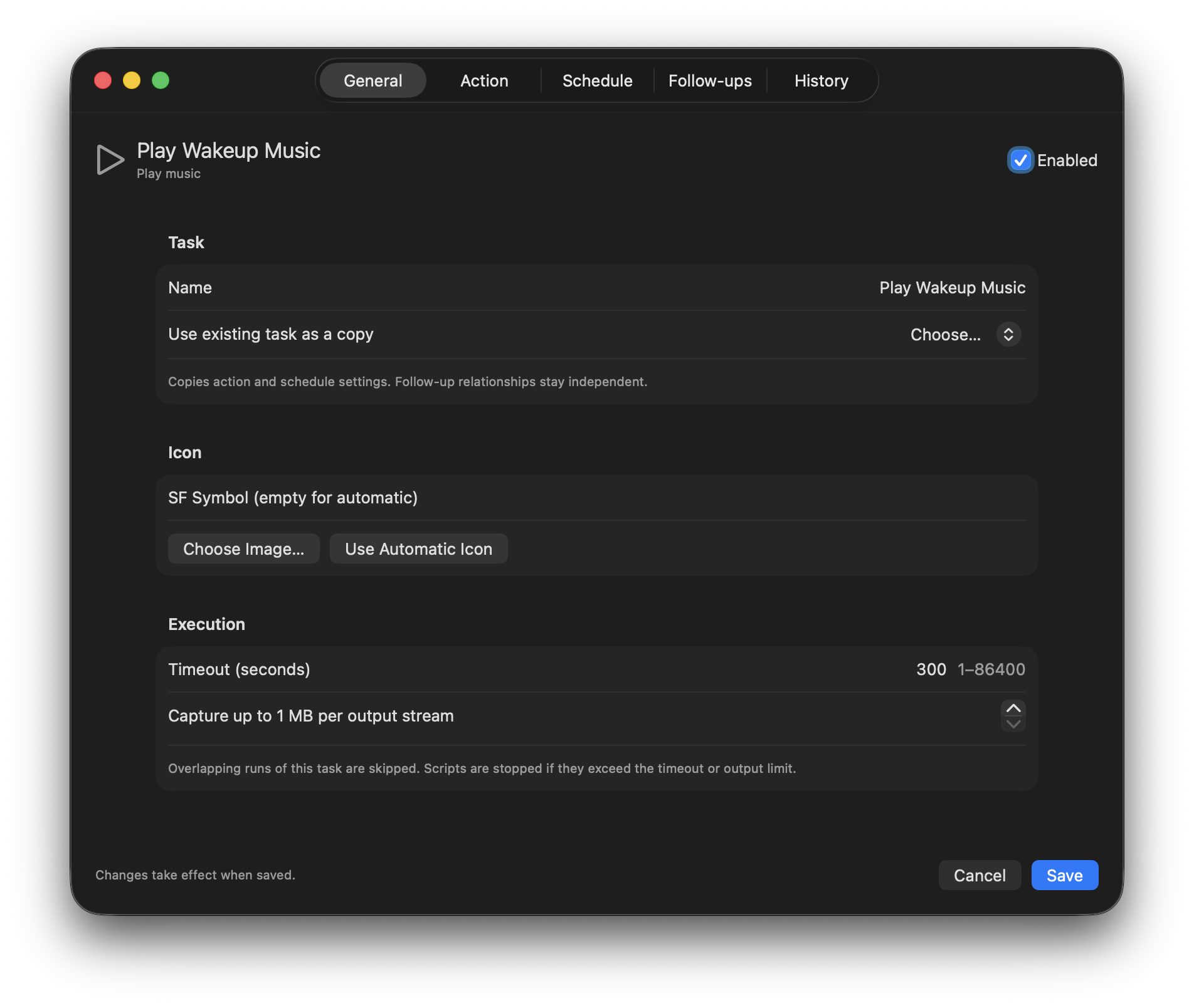
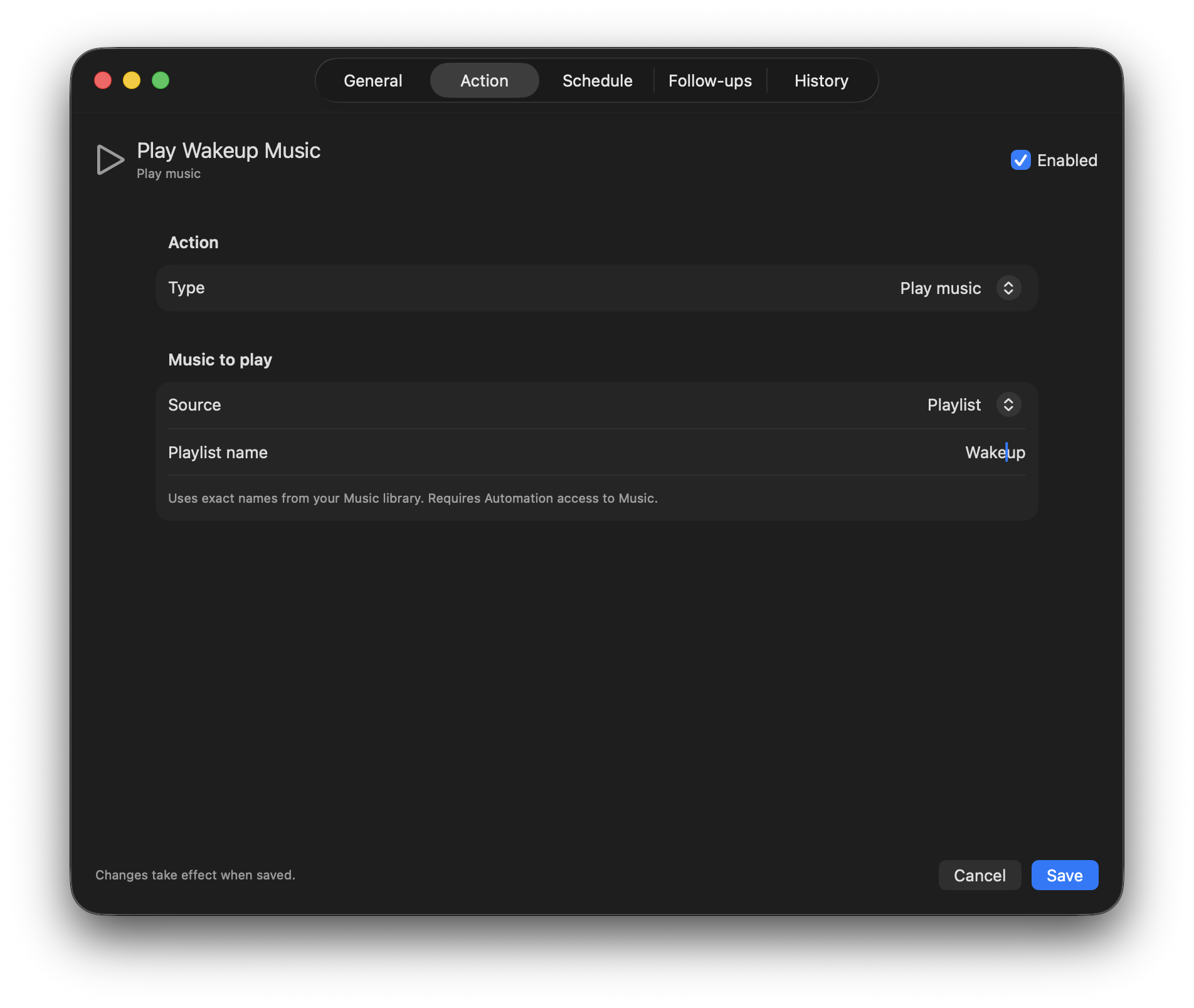
See what’s enabled, how recent runs went, and what happens next. Open a task to change its action, schedule or settings, then inspect the results in its run history.
 View larger ↗
 View larger ↗
 View larger ↗
 View larger ↗
 View larger ↗
A SMALL WORKFLOW. A USEFUL RESULT.
A web check can return 1 when content changes and 0 when it stays the same. Connect that result to a script, with exactly the delay you want.
Compare its response with the previous successful check.
exit code: 1 → content changedOnly matching results schedule the follow-up.
delay: 30 secondsProcess the update and keep the result in run history.
stdout · stderr · durationIllustrative workflow. You choose the address, action and schedule.
CHOOSE YOUR ACTION
Run shell scripts or AppleScript. Set a working directory, environment variables, timeout and output limit for the work you need done.
Check a web address for changed content, or open a URL in your preferred browser. Open applications and folders on schedule, too.
Play a playlist, track or artist from your Music library, resume what is ready, or pause Music. Set volume and Mac display brightness to an exact percentage.
GET THE APP
A task list you can read, schedules you can adjust, and follow-ups that run when the conditions are right.
Public alpha · v0.2.0 · macOS 14+ · Intel & Apple Silicon
Ad-hoc signed. Not notarized by Apple.
Open the disk image and drag Do This Then.app to Applications.
Add a scheduled task, give it a name and choose its action.
Set a schedule or connect it to another task. Keep the menu bar app running for tasks to execute.
FIRST LAUNCH
This alpha is ad-hoc signed and isn’t notarized by Apple. macOS may block the first launch. Only approve a download you trust.
A FEW USEFUL DETAILS
Yes. Closing the windows leaves Do This Then active in the menu bar. Quitting stops scheduling and cancels pending follow-ups. Occurrences missed while the app is closed or the Mac is asleep are skipped.
Task definitions are saved locally. Persistent run logging is off by default: recent results stay in memory until you quit. Turn on saved history in Settings when you want it. Web-check baselines are saved separately so checks can remember previous content.
The web check compares the downloaded response body. Its first successful run establishes a baseline. Later checks return 1 for a change, 0 for no change, and 2 for an error. It does not run JavaScript or use your browser’s cookies, and changing timestamps or ads can count as changes.
A task never overlaps itself. Extra occurrences are skipped while it is already running or queued. Up to four tasks can execute together, with foreground actions serialized. Circular follow-up chains are rejected.
Choose a playlist, track or artist by name from the Music app’s library, or resume whatever is ready. Artist playback uses a dedicated playlist managed by that task. Music and AppleScript actions may need macOS Automation permission; volume and brightness depend on hardware support.
Visits, pageviews and download requests, using a short-lived random tab token and daily aggregate counts. No cookies, third-party analytics, stored IP addresses or stored user agents. Counts are requests, not unique people or installations.